Remove annoying folders from Windows 10 File Explorer
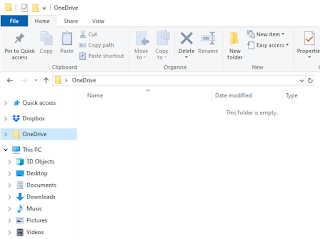
Ever wondered how to remove the annoying "OneDrive" and "3D Objects" folders from File Explorer in Windows 10? Here's an image of what I'm talking about: I removed OneDrive already since I don't use it. But the OneDrive folder persists in File Explorer, and you cannot delete it. Another thing that always bugs me is the "3D Objects" folder. I am never going to need that one. Even if I some day create some 3D Objects, I would like to place them in another folder and not have this shortcut visible everytime I open File Explorer. Removing the OneDrive folder from File Explorer What you need to do is press start button and type "regedit" and press enter. Using the Registry Editor, find the following entry: Computer\HKEY_CLASSES_ROOT\CLSID\{018D5C66-4533-4307-9B53-224DE2ED1FE6} Double click on the "System.IsPinnedToNameSpaceTree" key. Change the Value data from 1 to 0. The OneDrive folder is no longer in F...